> For the complete documentation index, see [llms.txt](https://docs.theshoppad.com/tracktor/llms.txt). Markdown versions of documentation pages are available by appending `.md` to page URLs; this page is available as [Markdown](https://docs.theshoppad.com/tracktor/dropshipping-settings/remove-the-shipping-url-from-shipping-confirmation-emails.md).
# Remove the Shipping URL from shipping confirmation emails
Remove the carrier shipping URL from Shopify Shipping Confirmation emails so customers are sent to your Tracktor tracking page instead.
Sometimes a shipping URL will display in the Shopify **Shipping Confirmation** email notifications for your store.
[If you do not have the Tracking URL feature enabled](https://docs.theshoppad.com/tracktor/customize-tracktor/update-the-tracking-link.md), this URL will lead customers to the package's carrier website instead of your tracking page. We recommend removing this URL because Tracktor will already direct customers to the tracking page on your store.
Make sure that you have added a [tracking link to your Shopify email templates](https://docs.theshoppad.com/tracktor/get-started/help-customers-track-orders.md). This directs your customers to their individual tracking pages on your store.
Follow the steps below to remove the shipping URL from your email notifications.
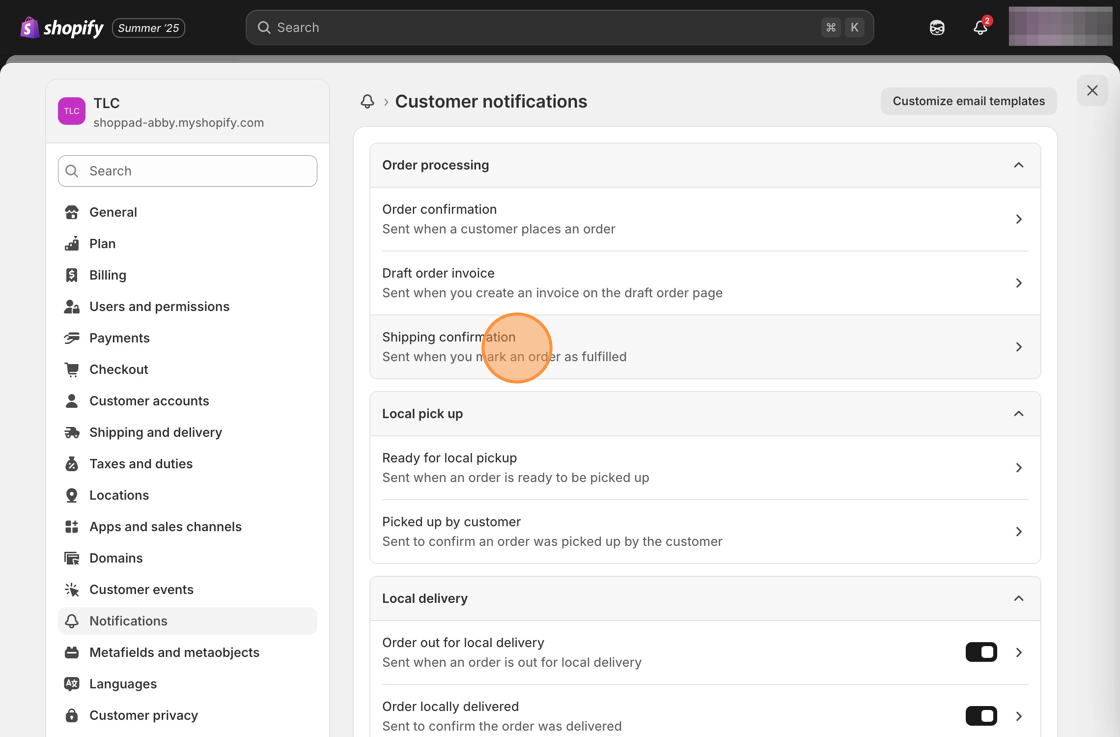
1\. Starting from your Shopify admin, click on **Settings**, then on **Notifications**.
2\. Open the email template from the list below where you'd like to remove this shipping URL (_Shipping Confirmation_, _Shipping Update_, _Shipping Out For Delivery,_ and _Shipping Delivered_).
3\. Copy the following code snippet.
```
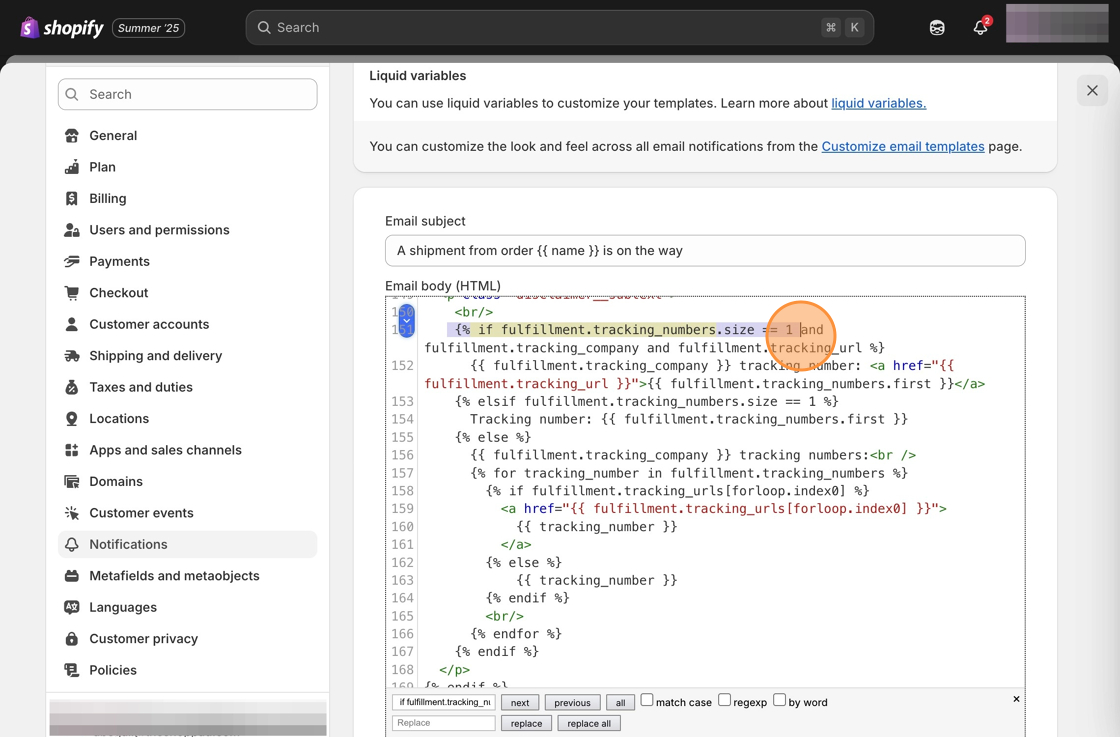
{% if fulfillment.tracking_numbers.size == 1
```
4\. Do a search using the keyboard shortcut (ctrl F or ⌘ F) for the code copied in step 3.
5\. Remove the code shown below (starting with the **\{% if fulfillment.tracking\_numbers.size == 1** line and ending with the **\{% endfor %\}** and **\{% endif %\}** lines).
6\. Save your changes.