> For the complete documentation index, see [llms.txt](https://docs.theshoppad.com/uploadery/llms.txt). Markdown versions of documentation pages are available by appending `.md` to page URLs; this page is available as [Markdown](https://docs.theshoppad.com/uploadery/readme/locate-uploaded-files.md).
# Locate Uploaded Files
Find customer files uploaded through Uploadery from the Uploaded Files tab on the app dashboard or from the Order Details page in Shopify.
Uploaded files can be found on the **Dashboard** tab in Uploadery or by navigating to the **Order Details** within Shopify.
### Dashboard
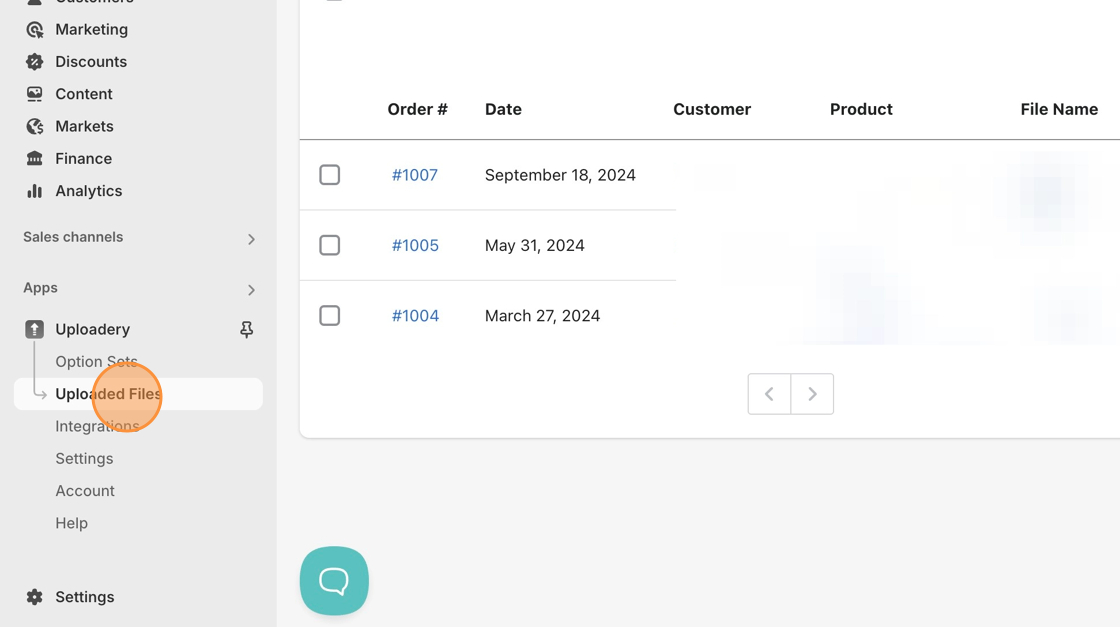
You will be able to locate all uploaded files under the **Uploaded Files** tab.
You can click on each file to download the file or click on the checkbox next to each file and bulk download the files.
### Order Details
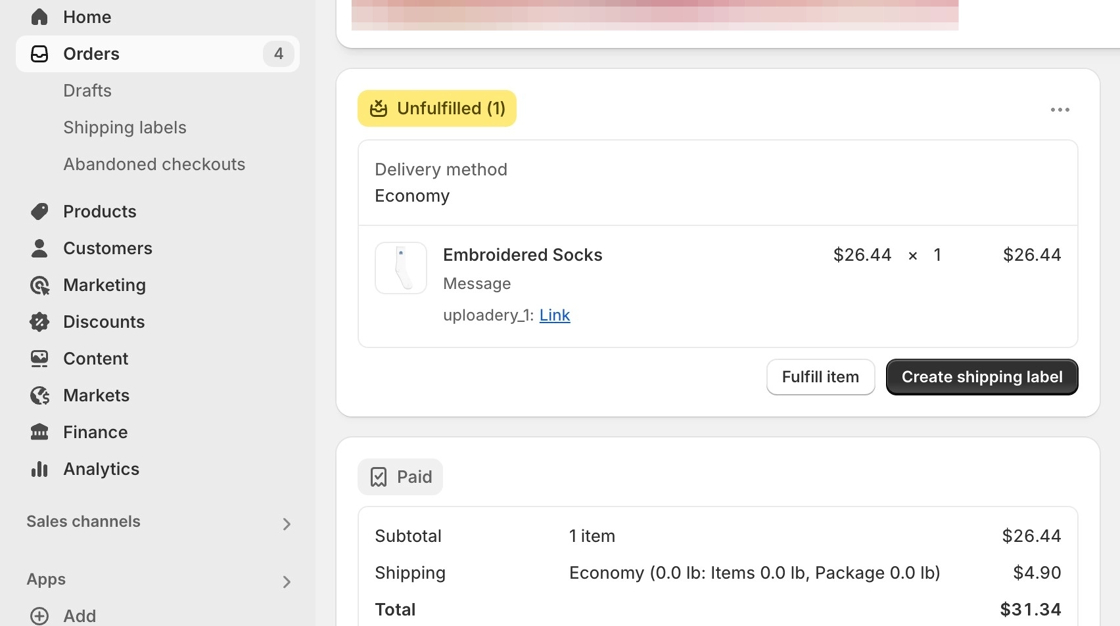
These files will display as line item properties beneath the order.
In the image below, **Uploadery\_1** is the name of the file, and the link that follows it directs to the uploaded file or image. Clicking on the link will download the file or image to your computer.