
How do I use Google Analytics with Fablet?
Link Fablet to Google Analytics by finding your Tracking ID in the Admin page and adding it, so mobile traffic is tracked correctly.
To get started, you’ll need to link your Fablet store to your Google Analytics account via a shared Tracking ID. Follow the instructions below to find your tracking code within Google Analytics.
Find the Google Analytics tracking code
Section titled “Find the Google Analytics tracking code”1. Sign in to your Google Analytics account and navigate to the Admin page.
2. Select an account from the drop down menu in the Account column.
3. Select a property from the drop down menu in the Property column.
4. Click on Tracking Info, then click Tracking Code.
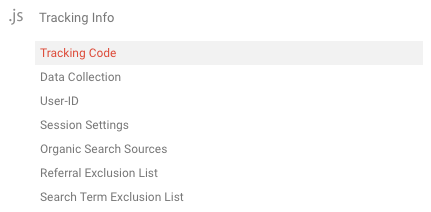
5. Locate and copy your Tracking ID. It should look something like UA-000000-1.
Add to the Fablet dashboard
Section titled “Add to the Fablet dashboard”1. Navigate to the Integrations tab within the Fablet dashboard.
2. Paste your Tracking ID into the Google Analytics field provided.
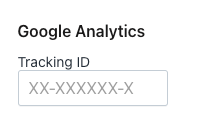
3. Save your changes.