
Decrease Bouncer's loading time
Make the Bouncer age popup appear sooner by editing theme.liquid so the app loads earlier than Shopify's default after-page-load timing.
By default, Shopify apps load after the page is generated. If you’d like to decrease the time it takes to load Bouncer, follow the instructions below.
- Starting from your Shopify admin dashboard, click on Online Store, then click on Themes.
- Find the theme you want to edit, click on the Actions button, then select Edit code.
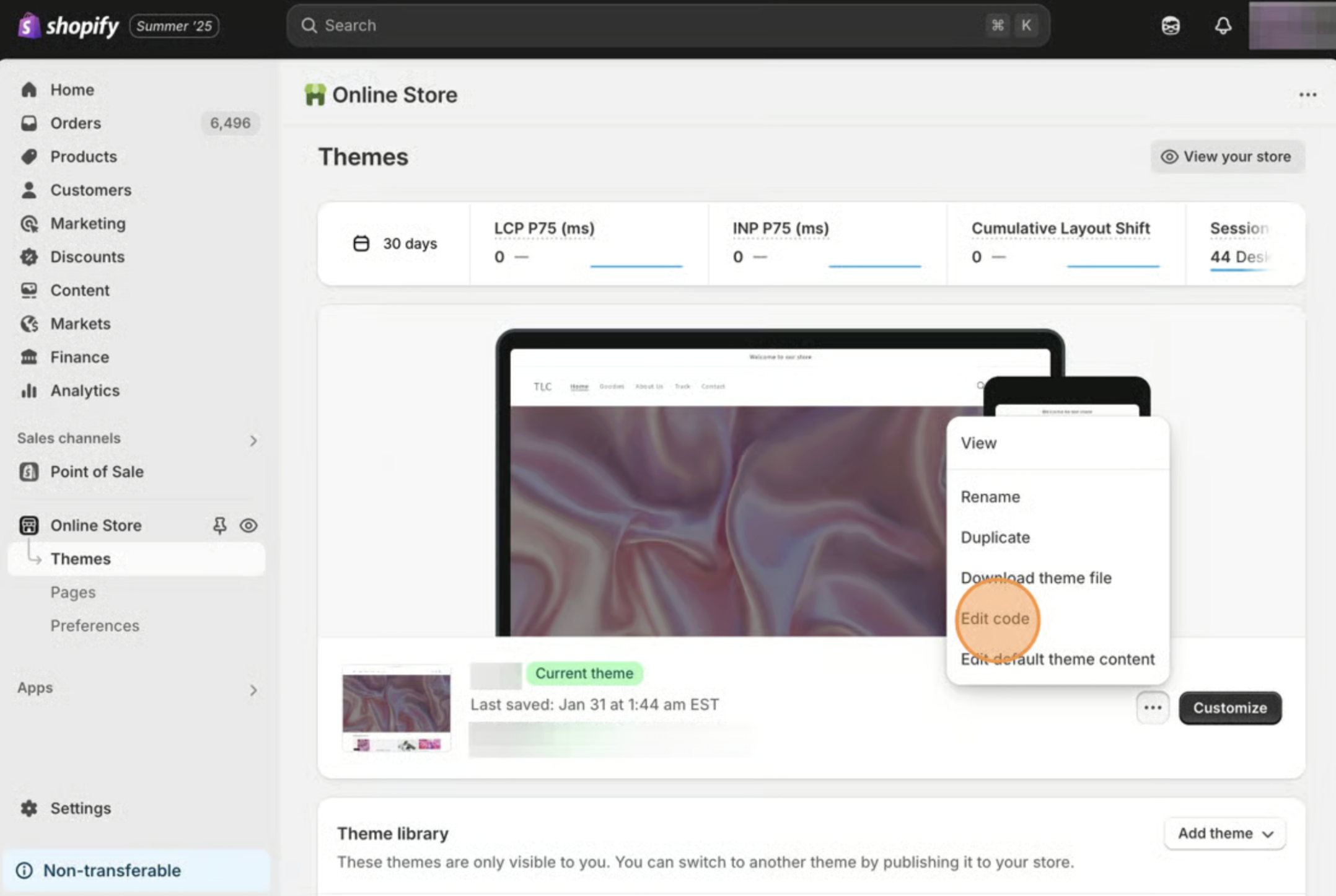
- Click on the theme.liquid file that’s located in the Layouts folder.
- Paste the following code snippet after the <head> tag.
<script src="//d1liekpayvooaz.cloudfront.net/apps/bouncer/bouncer.js?shop={{shop.permanent_domain}}"></script>- Save your changes.