
Editor Tips and Tricks
Pick up Blog Studio editor tips: start from a section, drag in content blocks, tweak spacing, reorder blocks and preview screen sizes.
Start with a section. Create one by creating a new article and selecting a section like this:
Section titled “Start with a section. Create one by creating a new article and selecting a section like this:”
Drag content blocks into a section for further customization:
Section titled “Drag content blocks into a section for further customization:”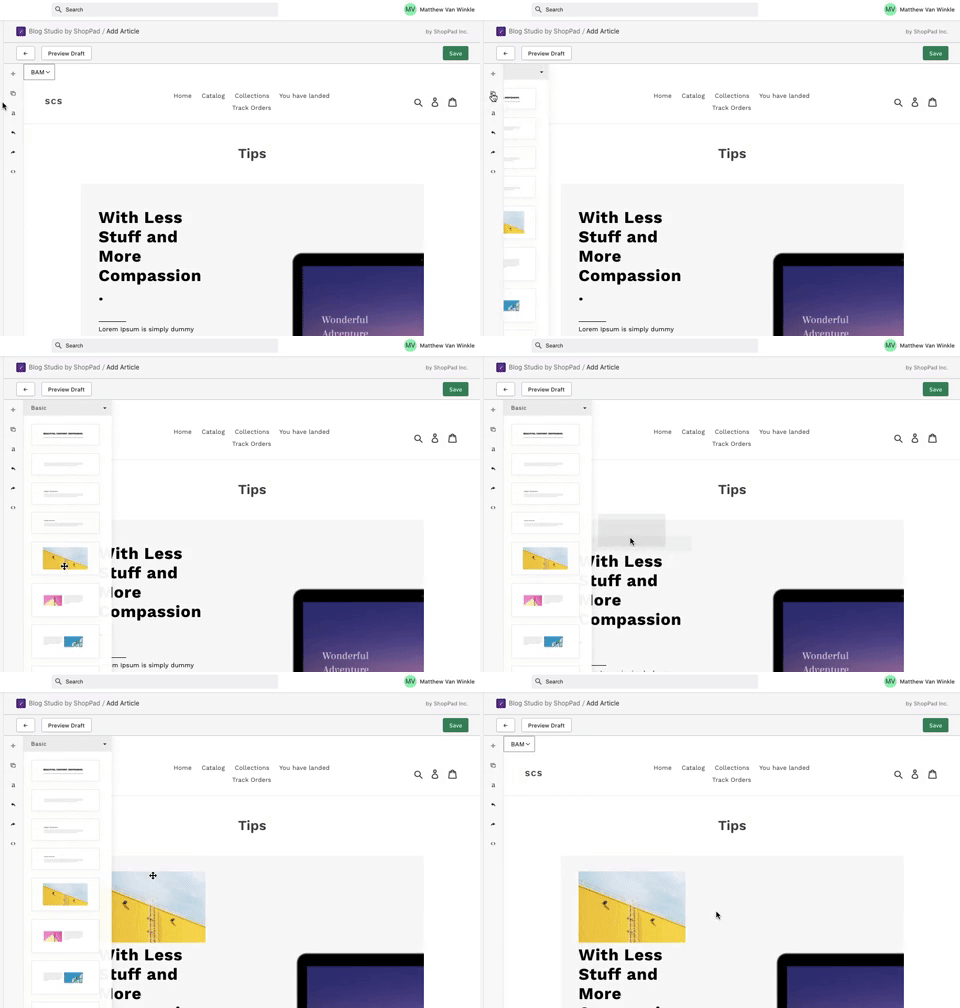
Change the image in your content blocks:
Section titled “Change the image in your content blocks:”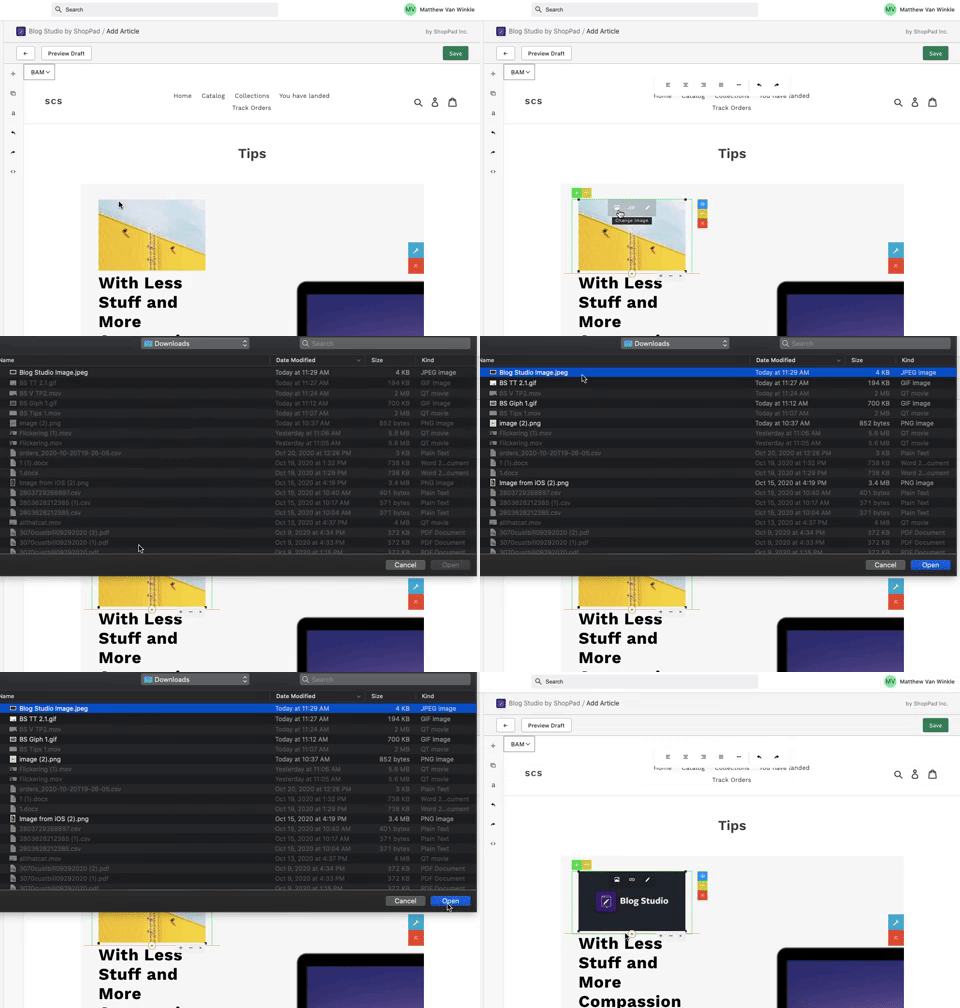
Adjust the spacing around your content blocks:
Section titled “Adjust the spacing around your content blocks:”
Utilize image content blocks:
Section titled “Utilize image content blocks:”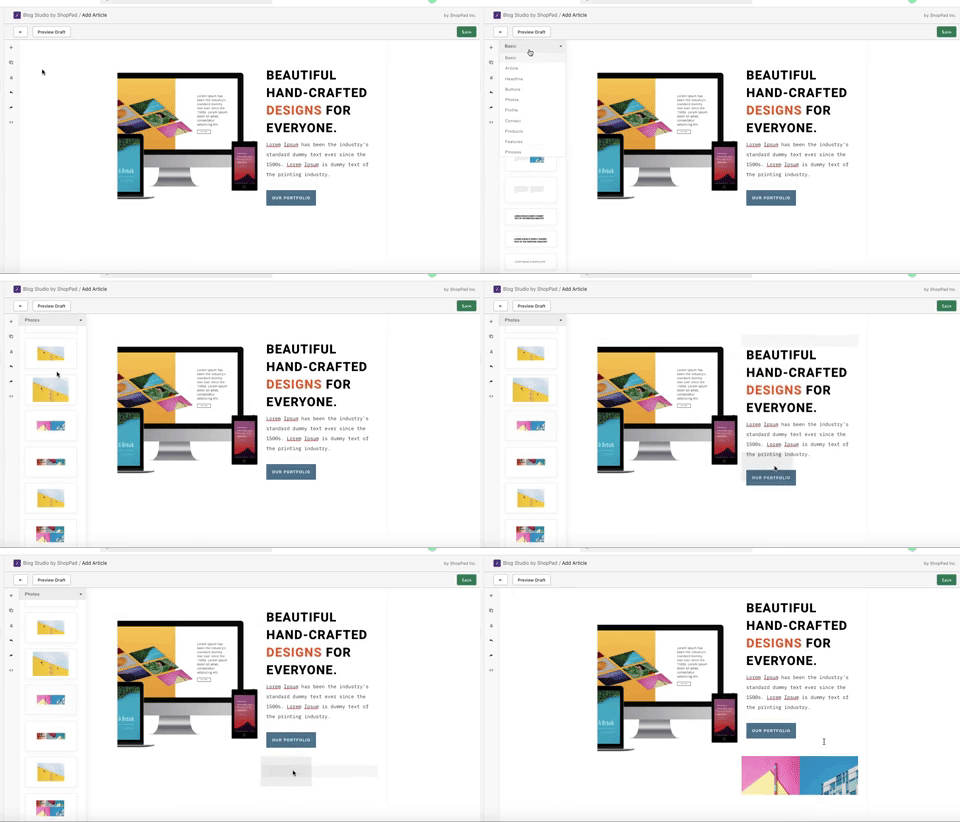
Adjust the order of your content blocks in a section:
Section titled “Adjust the order of your content blocks in a section:”
Adjust button links:
Section titled “Adjust button links:”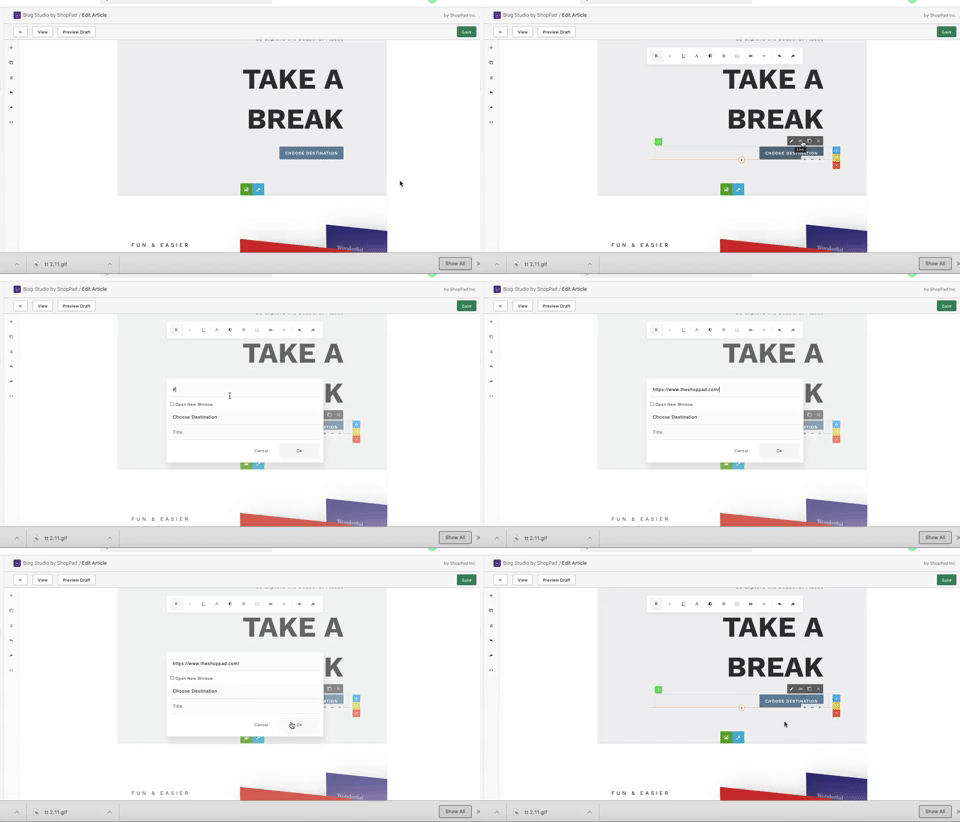
Preview the article on different sized screens:
Section titled “Preview the article on different sized screens:”
Adjust the background image of your sections:
Section titled “Adjust the background image of your sections:”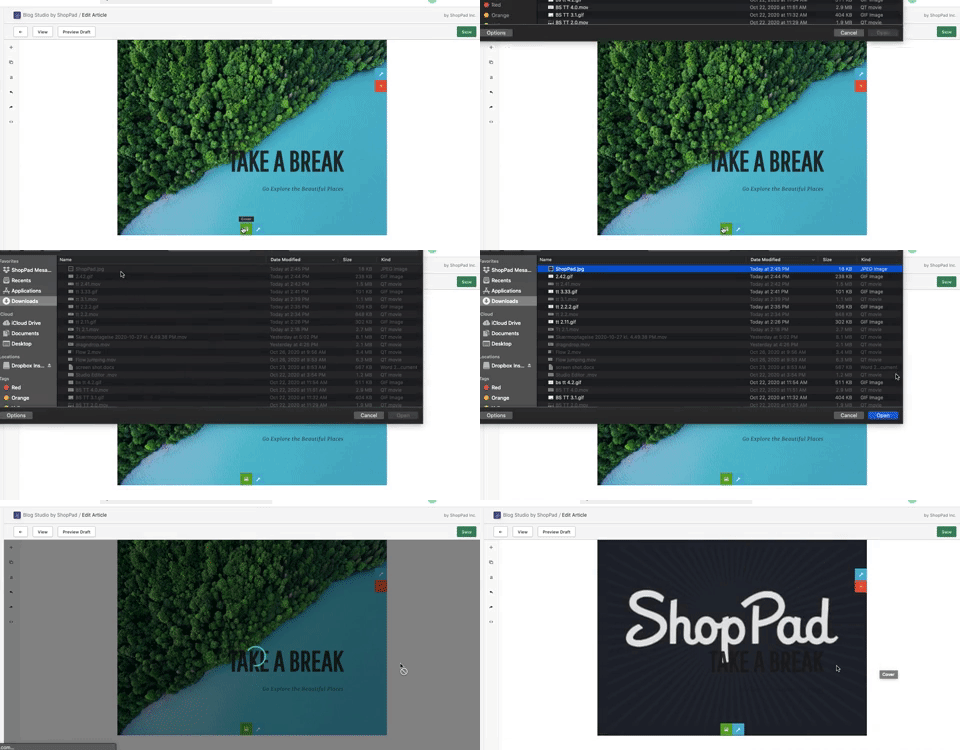
Adjust the position of your content block inside of a section:
Section titled “Adjust the position of your content block inside of a section:”