
Display prices without decimal values
Show Coin's converted prices as whole numbers instead of odd decimal amounts by adding a small code change in your Shopify theme files.
Sometimes, conversions result in strange price values that are not typically seen on retail stores (for example, $3.00 –> $4.39). If you’d rather display the converted prices without decimal values, follow the steps below.
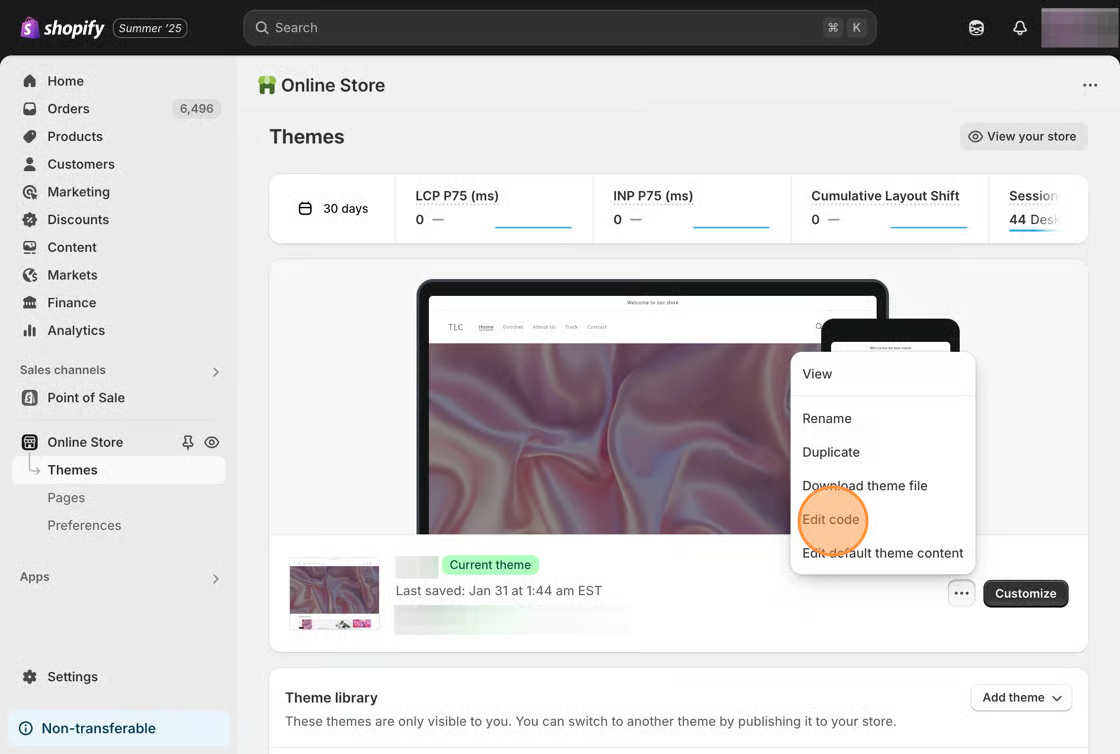
1. Starting from your Shopify admin dashboard, click on Online Store, then click Themes.
2. Find the theme you want to edit, click the … button, then click Edit code.
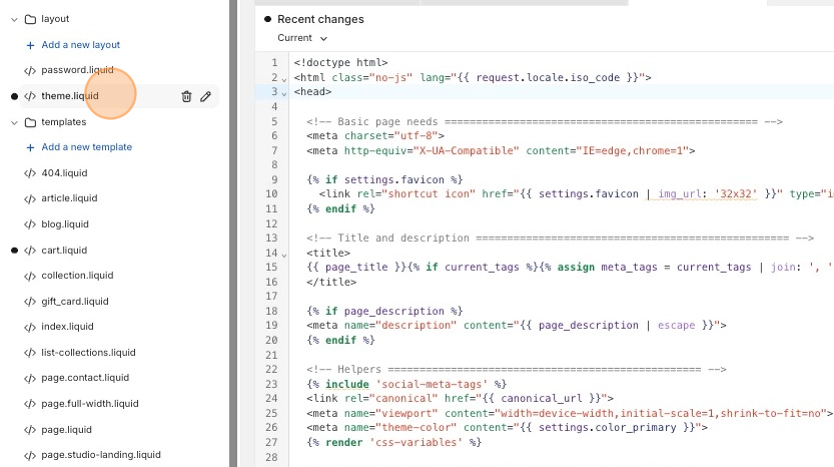
3. Click on the theme.liquid file that’s located in the layout folder.
4. Copy the code snippet below.
<script type="text/javascript"> window.Shoppad = window.Shoppad || {}, window.Shoppad.apps = window.Shoppad.apps || {}, window.Shoppad.apps.coin = window.Shoppad.apps.coin || {}, window.Shoppad.apps.coin.config = { moneyFormat: 'amount_no_decimals' };</script>5. Paste it directly after the <head> tag.
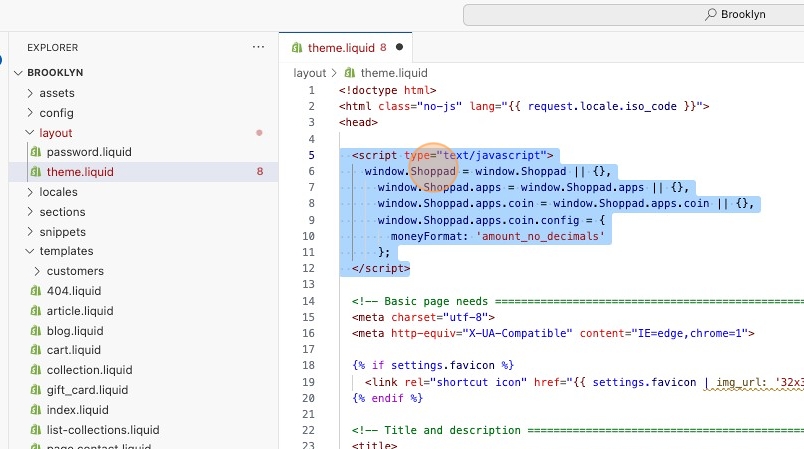
4. Save your changes.