
Turn on Coin for Your Theme
Enable the Coin app embed in the Shopify theme editor so the app can run on your storefront, once for each theme you use.
Before your Coin app can work on your storefront, you’ll need to turn on the Coin app embed in your theme.
This only needs to be completed once for each Shopify theme you use.
Once enabled, Coin will be enabled for your store.
Enable Coin by Turning on the App Embed
Section titled “Enable Coin by Turning on the App Embed”Step 1: Open the Theme Editor
Section titled “Step 1: Open the Theme Editor”From your Shopify admin:
- Go to Online Store > Themes.
- Click Customize next to your current theme.

Step 2: Turn On the Coin App Embed
Section titled “Step 2: Turn On the Coin App Embed”In the header of the theme editor:
- Click the App embeds icon.
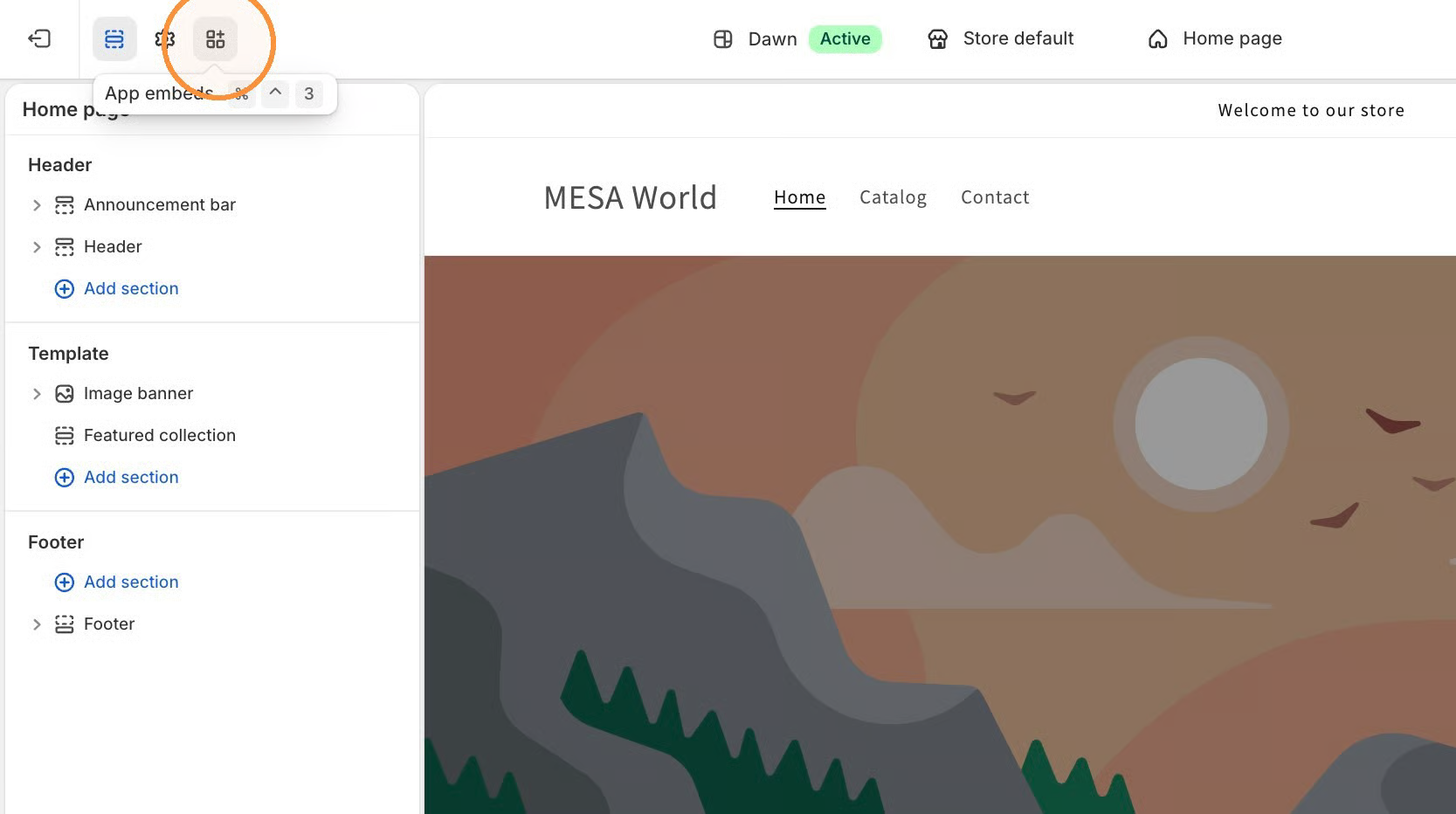
- Find Coin in the list.
- Toggle it on.

Step 3: Save Your Changes
Section titled “Step 3: Save Your Changes”Click Save in the upper-right corner.
Once saved, Coin will be enabled for your store.