
Inform customers about the currency conversion
Add a cart page note explaining that Coin converts prices in the store but orders are processed in your base currency at checkout.
Before checkout, Coin will automatically convert all prices to a user’s local currency.
However, once your shoppers hit the checkout page, any monetary amounts will be shown in your store’s base currency (this is a limitation set by Shopify for security reasons) unless you have added the integration between Coin and the Shopify Multi-Currency feature.
Adding an informative message to the cart page is a great way to reduce customer confusion. Follow the steps below to do this.
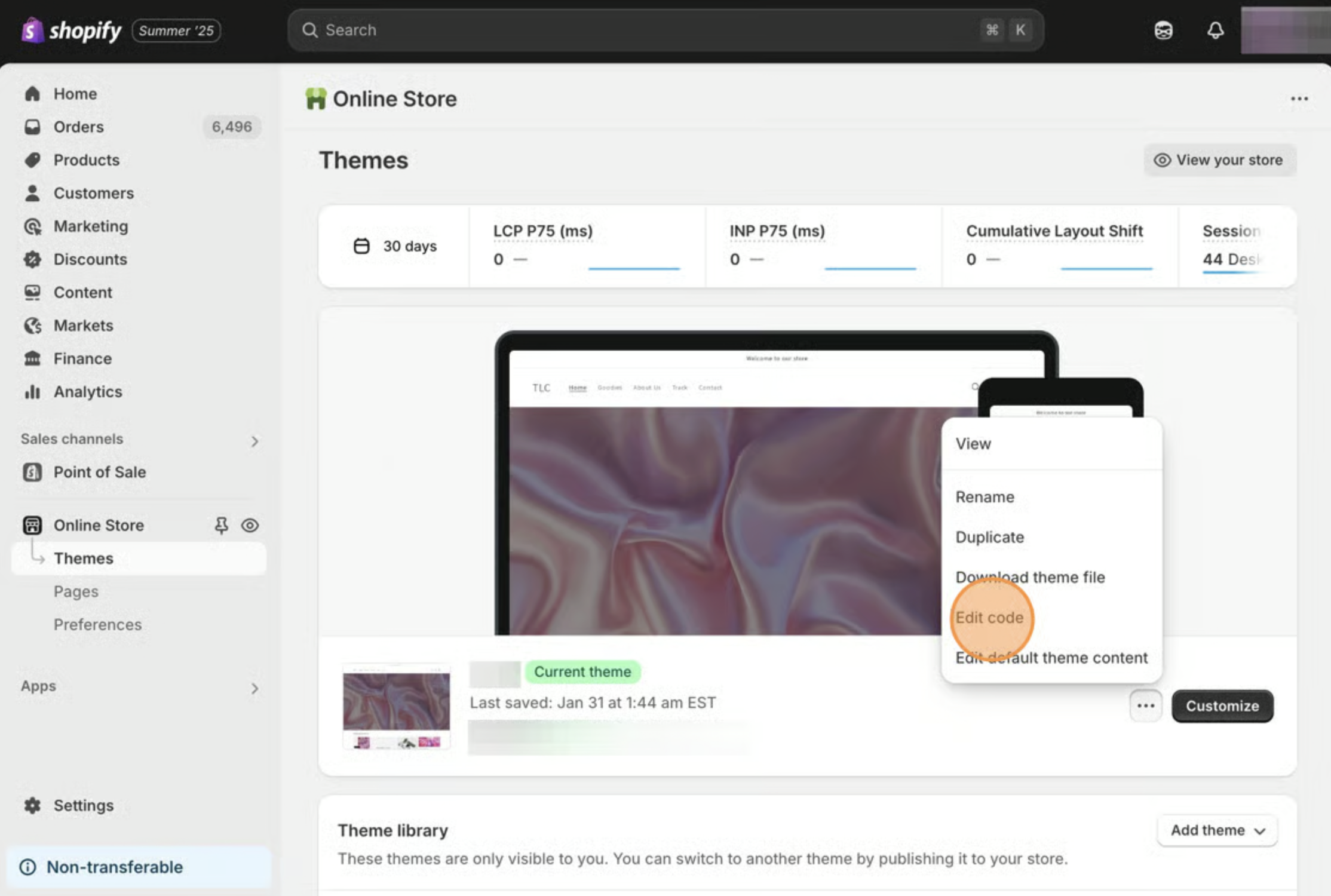
- Starting from your Shopify admin, click Online Store, then click Themes.
- Find the theme you want to edit, click the Actions button, then click Edit code.
- On the left side, under the Templates heading, click on the cart.liquid file. If that does not contain much content, try the cart-template.liquid file.
- Copy the snippet below.
All orders are processed in {{ cart.currency.iso_code }} at the most recent exchange rate available.<br />- Locate the checkout button code, then paste the snippet above it. Every theme is different, so you may need to play around with the placement to get it exactly where you want it.
- Save your changes.