
Replacing an order's old tracking number with a new tracking number
Swap an order's old tracking number for a new one from your supplier in Shopify so Tracktor shows the updated tracking information.
If you receive a new tracking number from your supplier or fulfillment service, you can follow these steps so that Tracktor can display new tracking information based on the new tracking number.
1. Starting from your Shopify admin dashboard, navigate to the Orders page.
2. Navigate to an order that needs to be updated with the new tracking number.
3. Click on the three-dot icon and then Edit tracking.
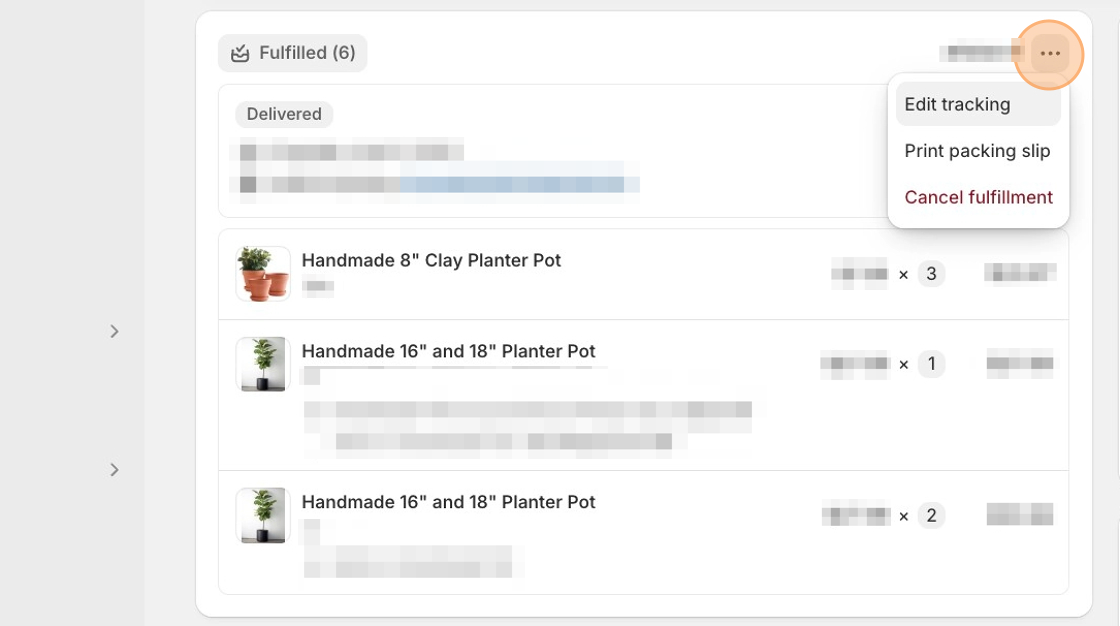
4. Paste the new tracking number into the Tracking number field and click Save. You can unselect the checkbox if you do not want to notify your customer that their order has been updated.
The tracking number and carrier information are now added to the order and show above the list of products.
Test the App
Section titled “Test the App”1. From the order page, click on More Actions ▼.
2. Select Tracktor: Track Order.
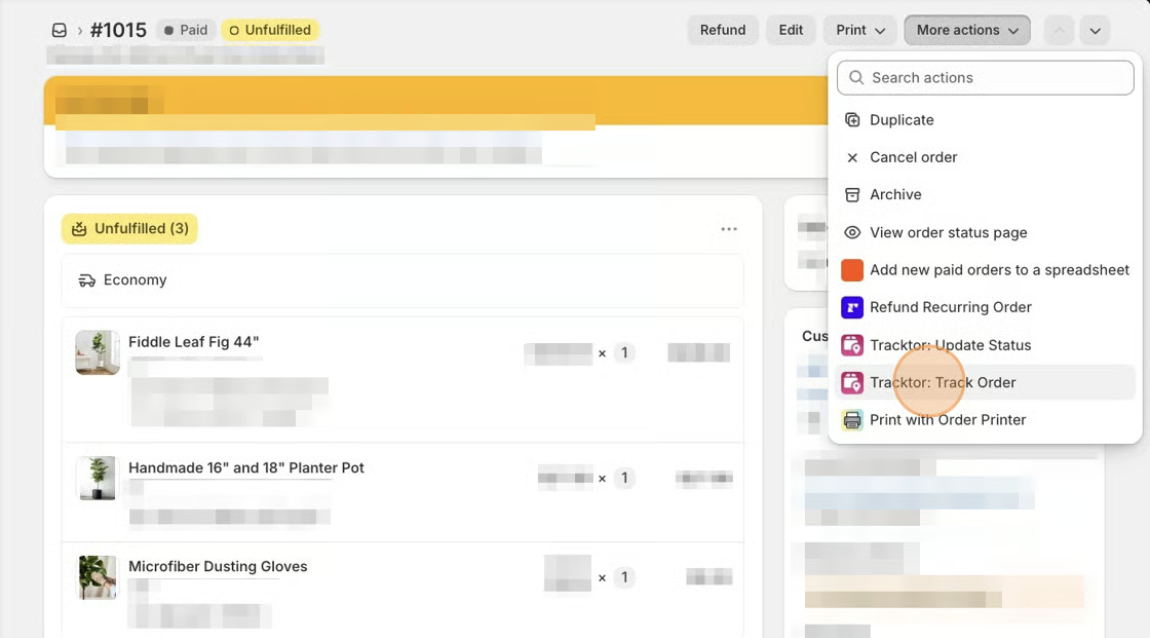
3. Verify the information displayed is correct.