
Getting Started
Start with Uploadery, a Shopify file upload app: turn on the app embed, create an upload field in the dashboard and assign it to your products.
How It Works
Section titled “How It Works”Setup has three steps on your end, and then Uploadery handles the rest.
- Turn on the Uploadery app embed in the Shopify theme editor
- Create an upload field in the Uploadery dashboard
- Assign it to the products where you want it to appear

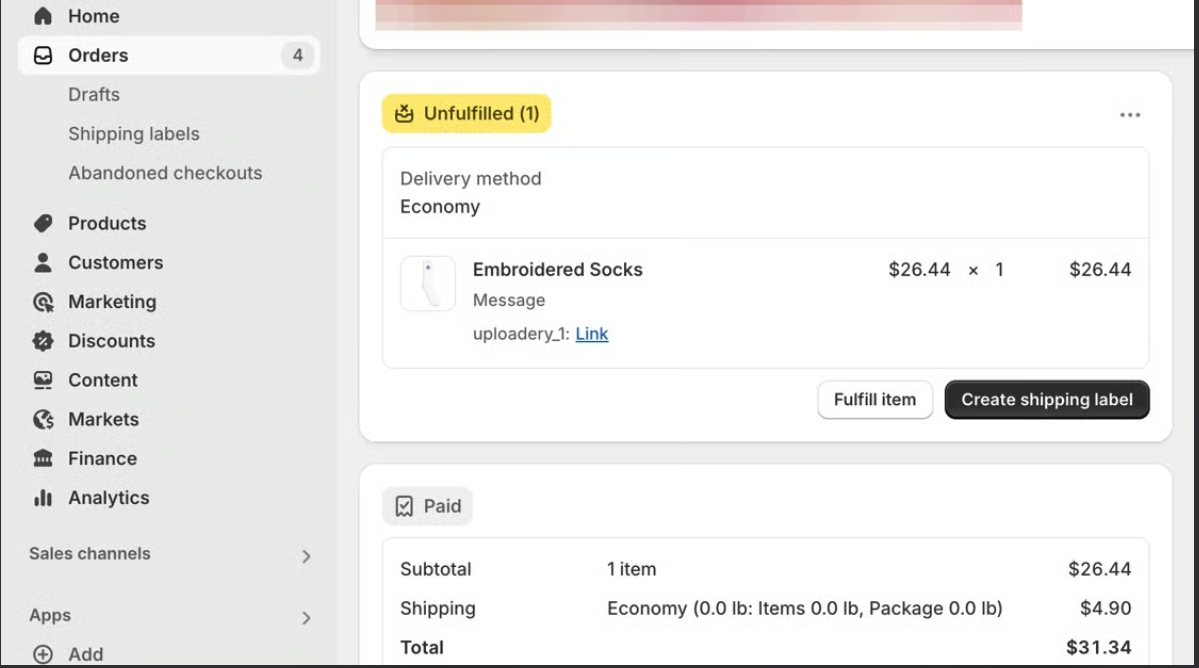
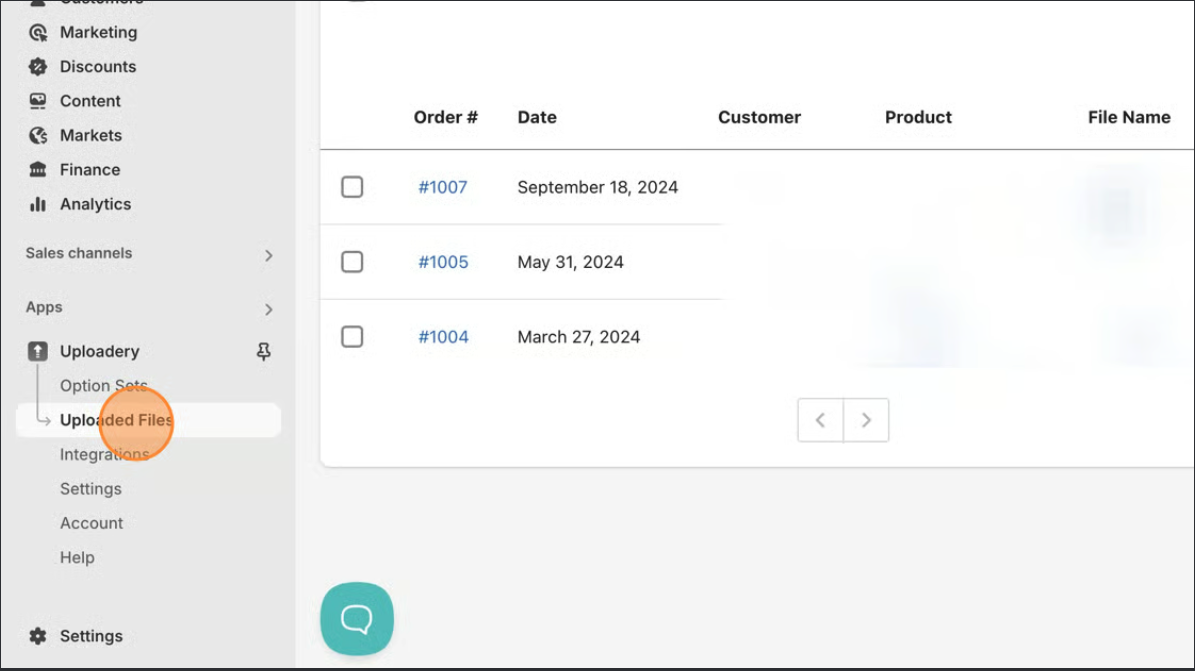
After they place their order, you can download their file directly from the order details in your Shopify admin or the Uploadery app dashboard
If you mark an upload field as required, customers won’t be able to complete checkout without submitting a file first.
A Few Things to Know Before You Start
Section titled “A Few Things to Know Before You Start”Uploaded files are stored on our servers for up to 6 months from the order date. After that, they’re automatically removed. If you need files for longer, download and store them somewhere on your end.
Turn on Uplodaery for Your Theme
Section titled “Turn on Uplodaery for Your Theme”For the upload field to appear on your product pages, you’ll need to turn on the Uploadery app embed in the Shopify theme editor. This is a one-time step and only takes a minute.

We have a guide that walks you through it if you need help: Turn on Uploadery for Your Theme.
What’s Next
Section titled “What’s Next”Start with turning on the Uploadery app embed, then come back to create your first upload field.