
Featured Product/Homepage
Use Uploadery with a featured product on your homepage by editing your theme code, since upload fields do not show there by default.
Follow the instructions below to use Infinite Options with a product on the homepage.
1. Starting from your Shopify admin dashboard, click on Online Store to arrive at the Themes page.
2. Find the theme you want to edit, click the “three dots,” then click Edit code.
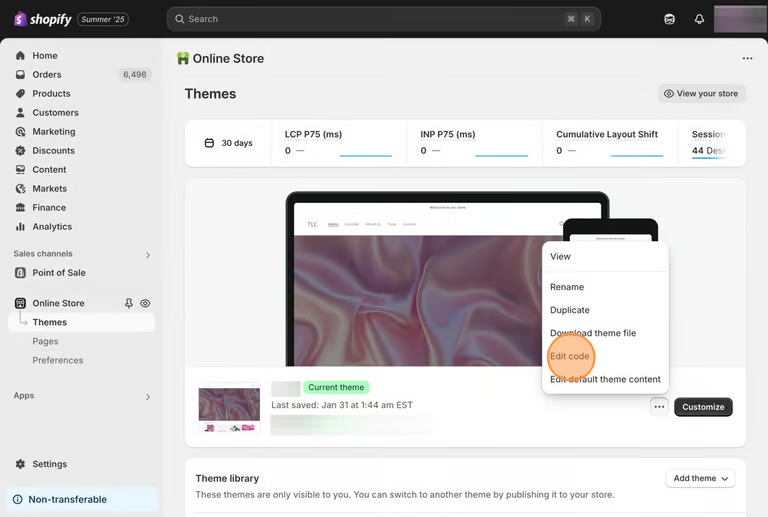
3. Locate and select the featured-product.liquid file in the Sections folder.
4. Copy the following code snippet.
<script type="text/javascript"> window.productJSON = window.productJSON || {{ product | json }}; </script>5. Look for this code:
{%- assign product = all_products[section.settings.featured_product] -%}6. Paste the code snippet you copied in step 4 below the code in step 5 on the featured-product.liquid file.

7. Save your changes.
In this section
DawnDisplay an Uploadery upload field on a featured product section of your homepage when using the Dawn theme, through the Shopify theme editor.