Why don't my live pages match the page editor?
Switch a page to the right template when your live Page Studio page looks different from the editor.
If your pages aren’t appearing as they do within the editor, you’ll need to adjust the template they’re using. Follow the steps below to do this.
1. Starting from the Page Studio dashboard, locate the page(s) with the formatting issue.
2. Click on the gear icon located to the right of page’s title.
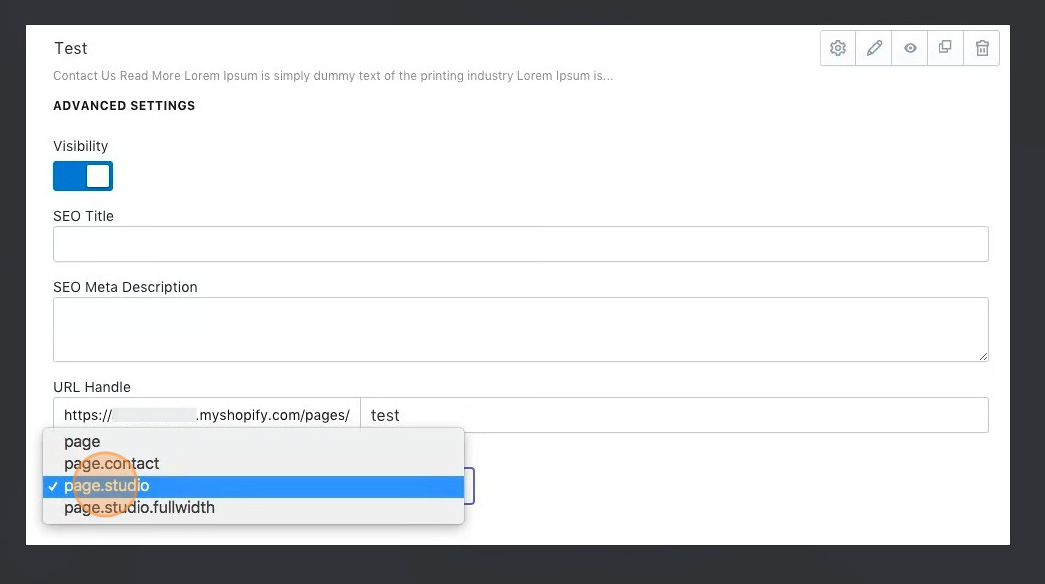
3. Find the Template section, then select the page.studio template from the drop down menu.