
Order Confirmation
Legacy steps to display Infinite Options selections in the Shopify Order Confirmation email your customers receive after checkout.
Want your customers’ option selections to show up in the Order Confirmation template? This requires ensuring line item properties are compatible with your template. Contact support and we’ll set it up for you.
Manual Process (not recommended)
Section titled “Manual Process (not recommended)”Follow the steps below on how to display option selections in the order confirmation emails.
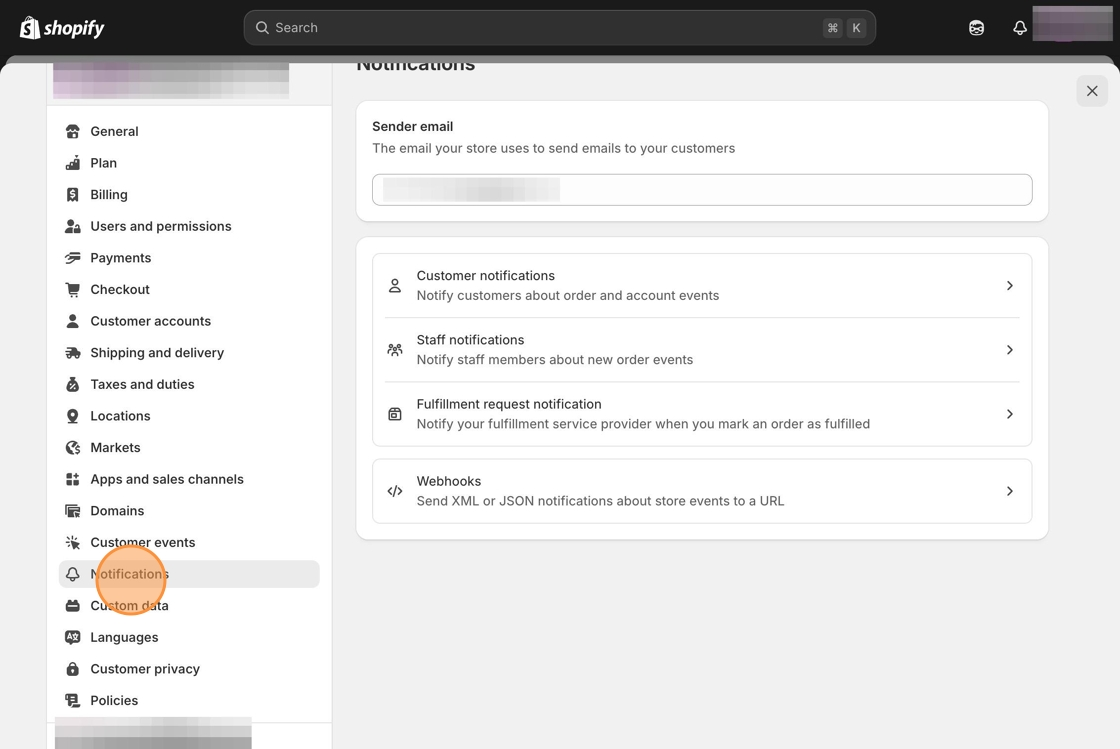
1. Starting from your Shopify admin dashboard, navigate to the Settings tab, then click on Notifications.
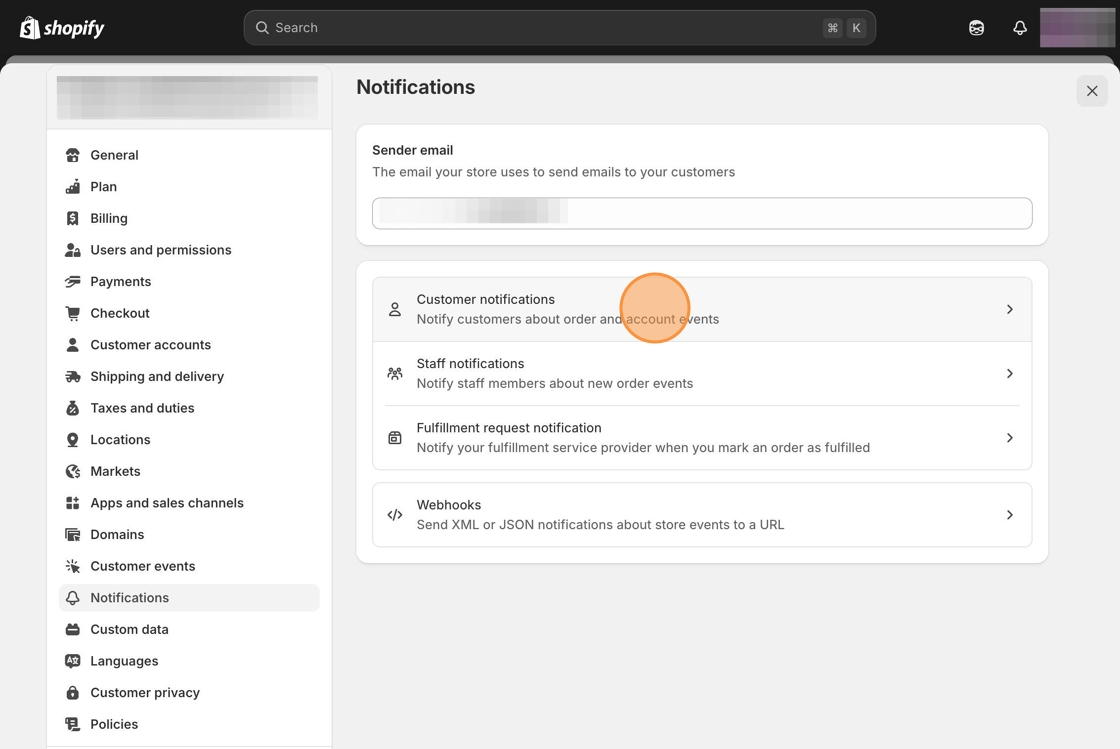
2. Select Customer Notifications.
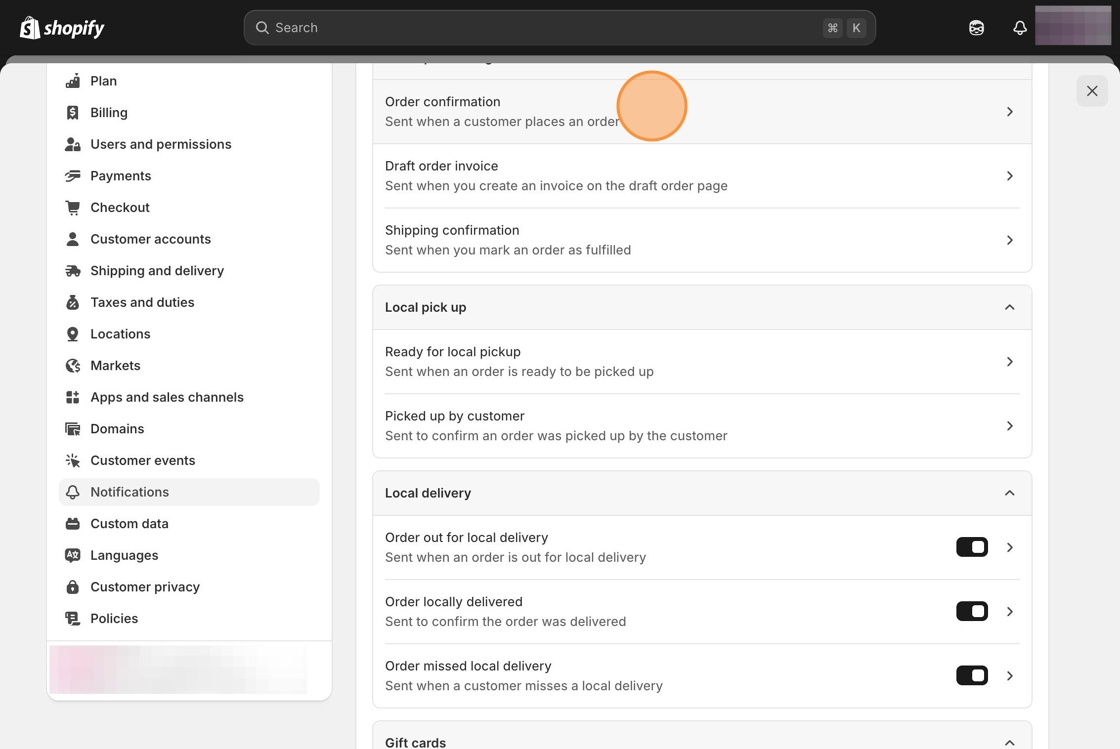
2. Click on the Order Confirmation email template.
3. Locate the following line of code. There will be several results; we’ll focus on the last instance around line 865:
{% if line.variant.title != 'Default Title' and line.bundle_parent? == false %}OR
{% if line.variant.title != 'Default Title' %}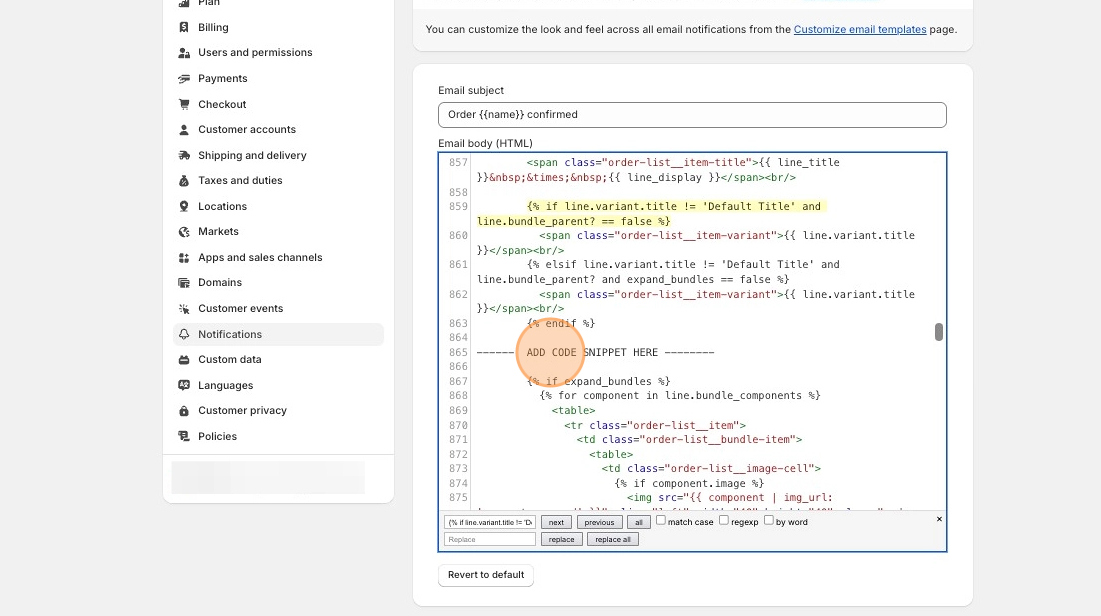
4. Copy and paste the following snippet where “ADD CODE SNIPPET HERE” is shown above.
{% for p in line.properties %} {% if p.first contains '_io_' %} {% continue %} {% endif %} {% if p.last %} {% assign name = p.first %} {% assign value = p.last %} {% else %} {% assign name = p.name %} {% assign value = p.value %} {% endif %} {% unless value == blank %} <p style='margin-top: 0px; margin-bottom: 0px; font-size: 14px; color: #999;'> {{ name }}: {% if p.last contains '//uploadery.s3' %} <a style='font-size: 14px;' href="{{ value }}">Link to your file</a> {% else %} {{ value }} {% endif %} </p> {% endunless %}{% endfor %}<br>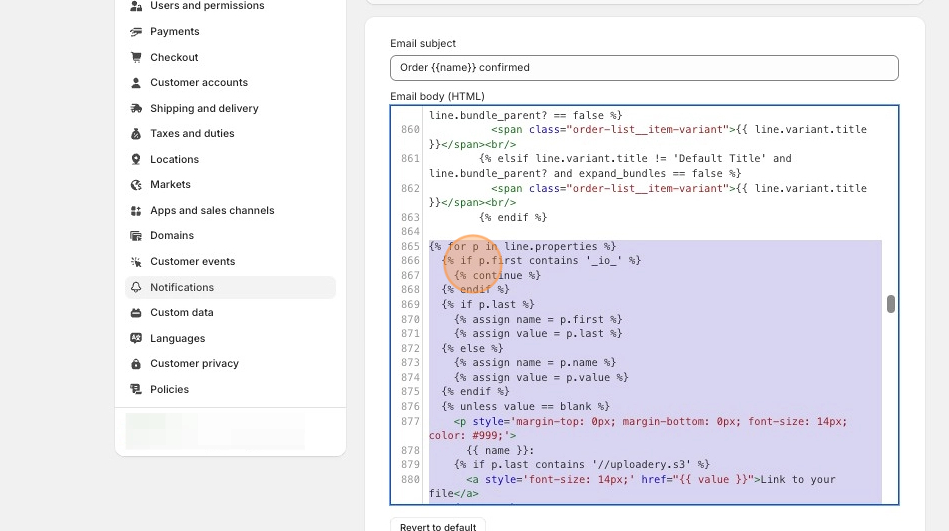
5. Click the Save button at the top of the page.