
How to Make Color Swatches Required Before Adding to Cart
Require a color swatch choice before add to cart in Infinite Options, and compare the two setups that replace the default pre-selected swatch.
You can require customers to select a swatch before adding a product to their cart. By default, swatches behave like radio buttons, so the first swatch is automatically selected. If you’d rather have customers make their own selection, you can change how the swatches behave.
The two options below explain how each setup works.
Option 1: Always Keep One Swatch Selected
Section titled “Option 1: Always Keep One Swatch Selected”Leave Allow Multiple Selections unchecked.
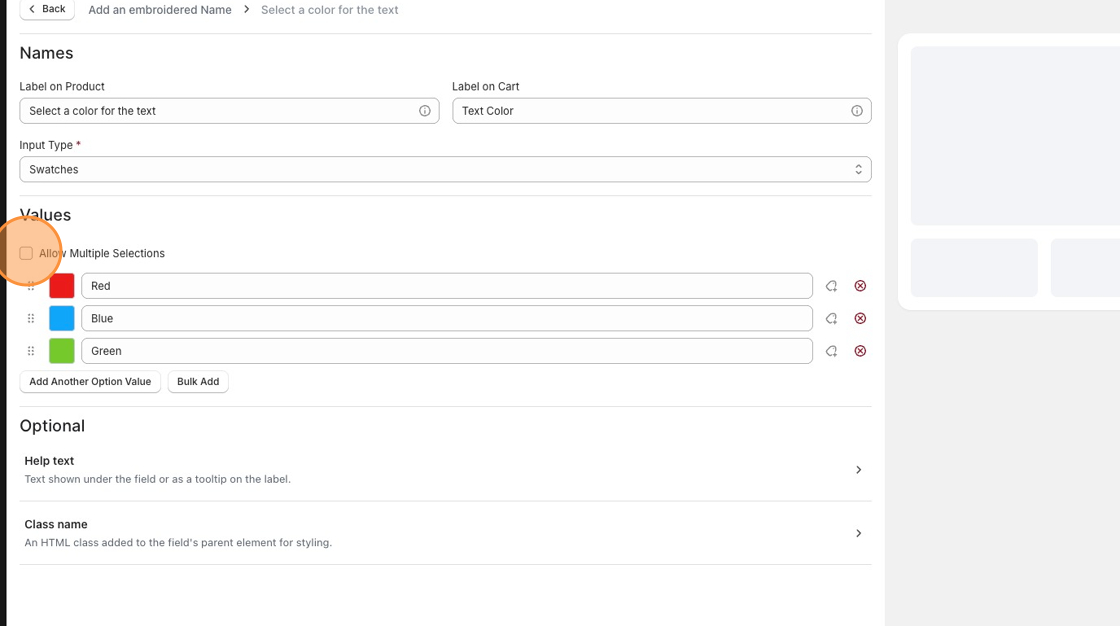
With this setup:
- The first swatch is automatically selected when the product page loads.
- Customers can’t remove the selection.
- Customers can change their selection by clicking a different swatch.
This is the best option if customers should always have exactly one swatch selected.
Option 2: Require Customers to Make a Selection
Section titled “Option 2: Require Customers to Make a Selection”Enable Allow Multiple Selections.
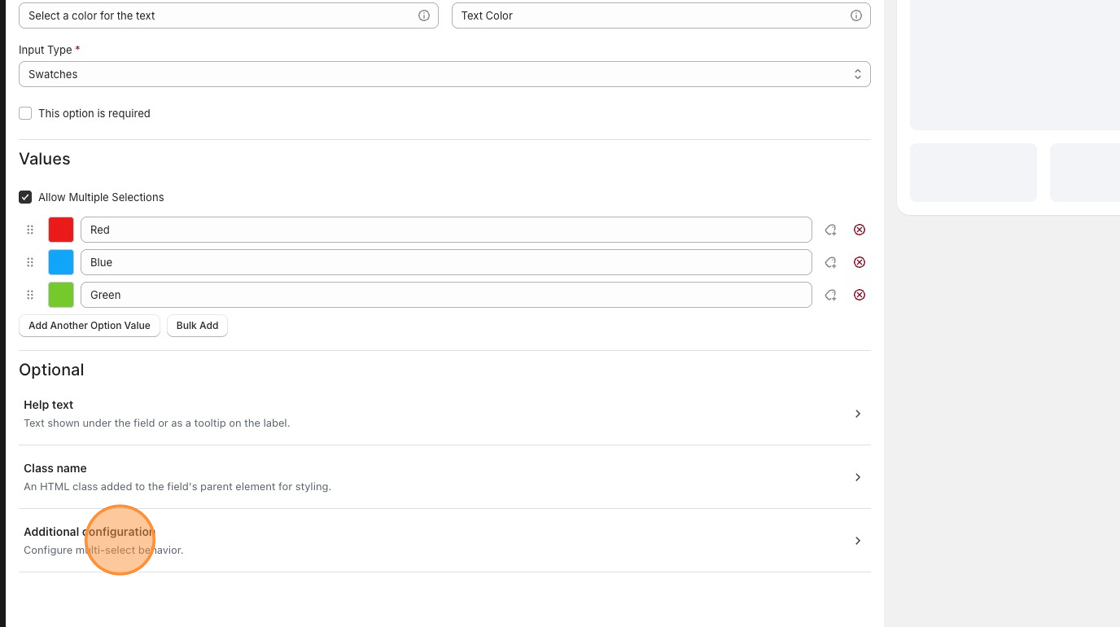
Expand Additional configuration.
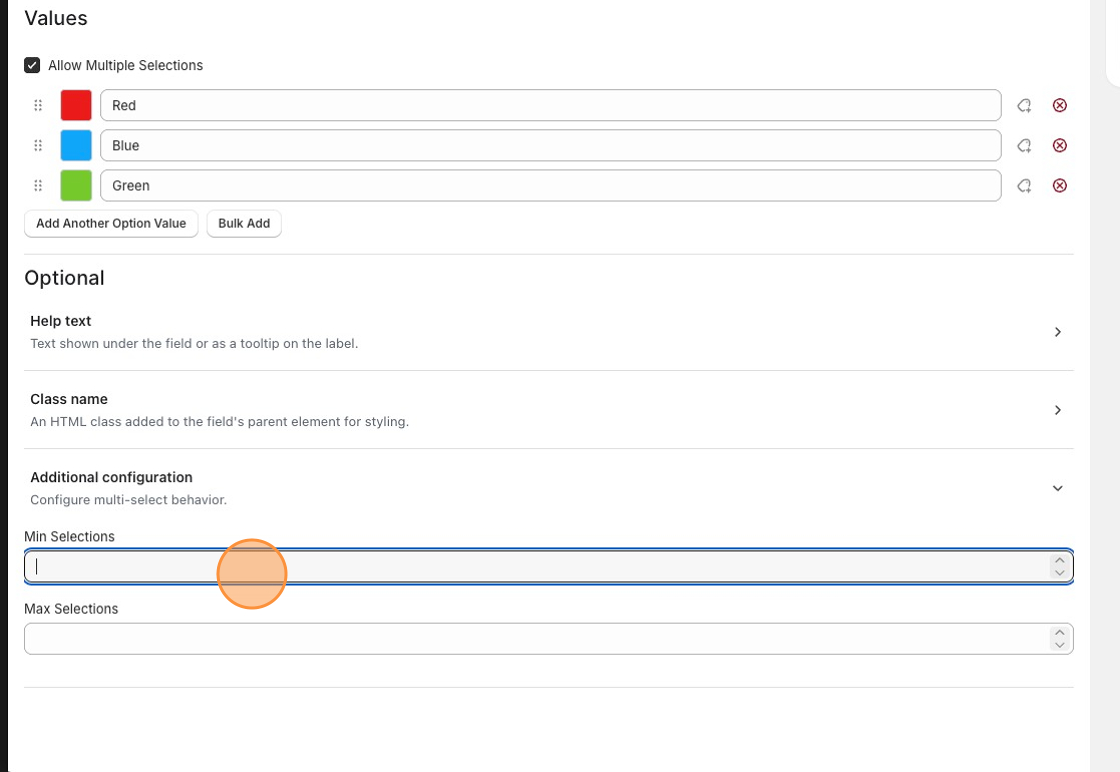
To require customers to make a selection:
- Set Min Selections to 1.
- Leave Max Selections blank if there’s no limit to how many swatches customers can select.
With this setup:
Section titled “With this setup:”- No swatch is selected when the product page loads.
- Customers must select at least one swatch before adding the product to their cart.
- You can adjust the minimum and maximum number of selections as needed.
- If you set Max Selections to 1, customers must deselect their current swatch before selecting another because the swatches behave like checkboxes instead of radio buttons.
Want to Change How Swatches Look?
Section titled “Want to Change How Swatches Look?”If you’d like to customize the appearance of your swatches, including their size, shape, borders, or layout, see: