
Adjust Swatches - display the name once the swatch is hovered over
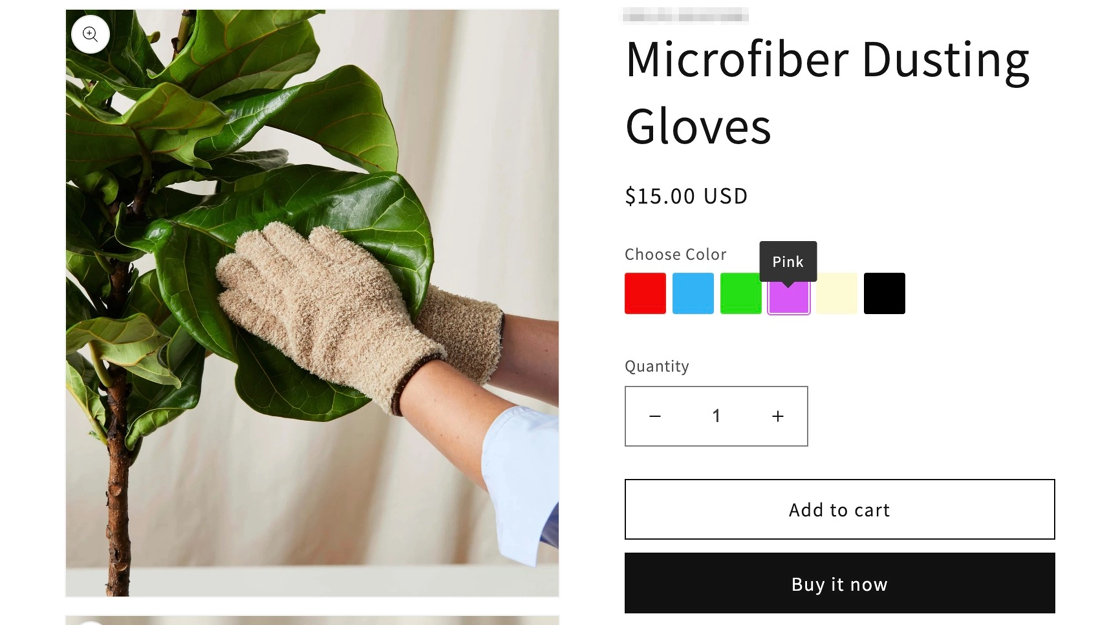
Show the name of an Infinite Options swatch on hover, which keeps large sets of color swatches compact, by changing the swatch display settings.
Displaying hover text over swatches is a great way to showcase the colors you offer for your products and to display a large number of swatches in a more compact format.
Follow the steps below to apply this change to your swatches.
Step 1
Section titled “Step 1”In the Option Sets menu, open an option set that includes your swatch options.
Step 2
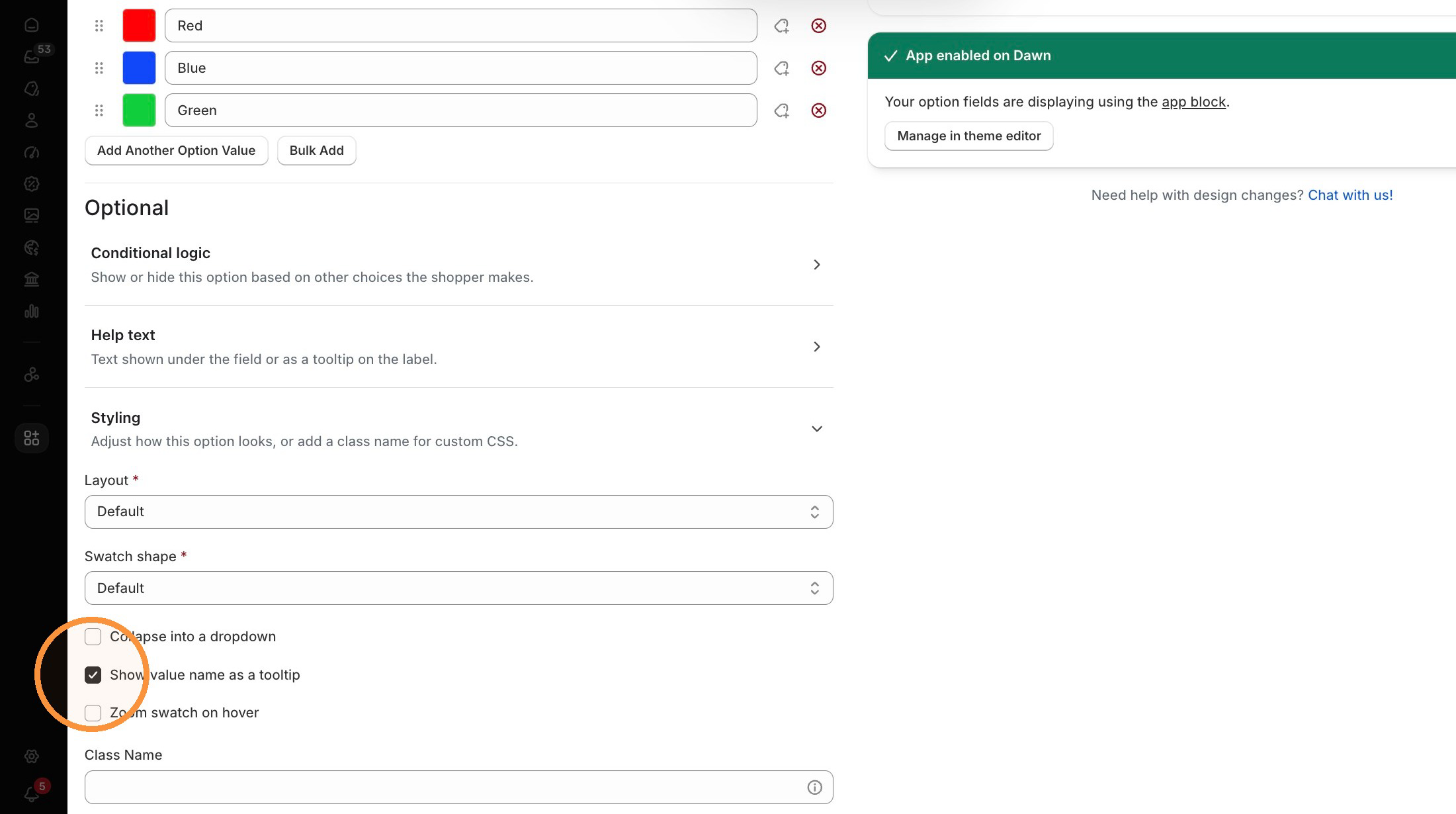
Section titled “Step 2”Select your swatch option and then scroll down to open the Styling section. Select the checkbox for Show value name as tooltip.
Step 3
Section titled “Step 3”Save your changes.