
Format Text Field Values (Text Case)
Set a text case on an Infinite Options text field so shopper input is saved in uppercase, like monogram initials, or another consistent format.
Text fields can automatically convert what a shopper types before it’s submitted. This is useful for keeping engraving or monogram fields consistent, like always saving initials in uppercase.
Set a Text Case
Section titled “Set a Text Case”- Open the Text field option.
- Scroll down to Optional.
- Next to Character limits, find Text case and choose one: UPPERCASE, lowercase, Title Case, or Sentence case.
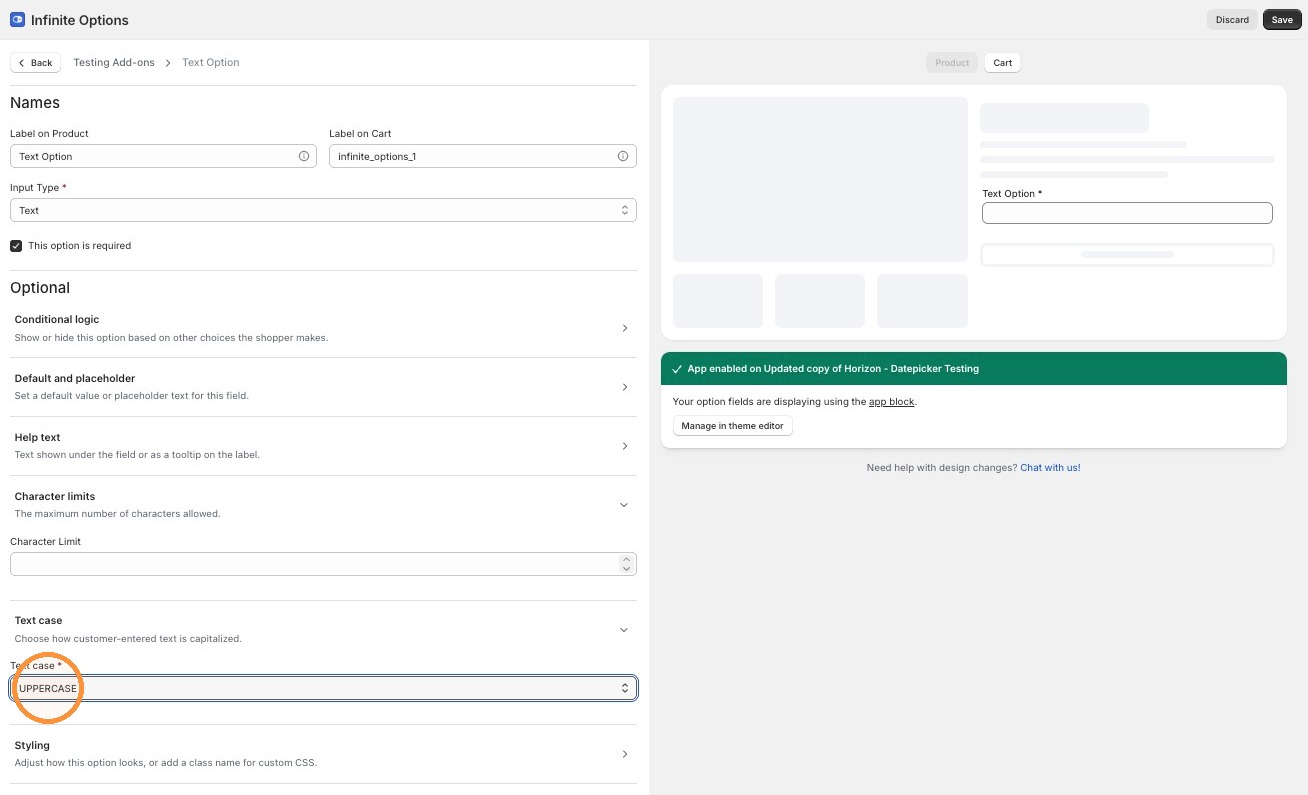
UPPERCASE, lowercase, and Title Case apply as the shopper types. Sentence case applies once they leave the field.
Text case is honored alongside your character limit, even if converting the case changes the number of characters.
Set an Input Width
Section titled “Set an Input Width”Under Styling, set Input width to Fit label, or to a fixed 25/33/50/66/75/100% width.